How to Create Your JAMB Profile Code
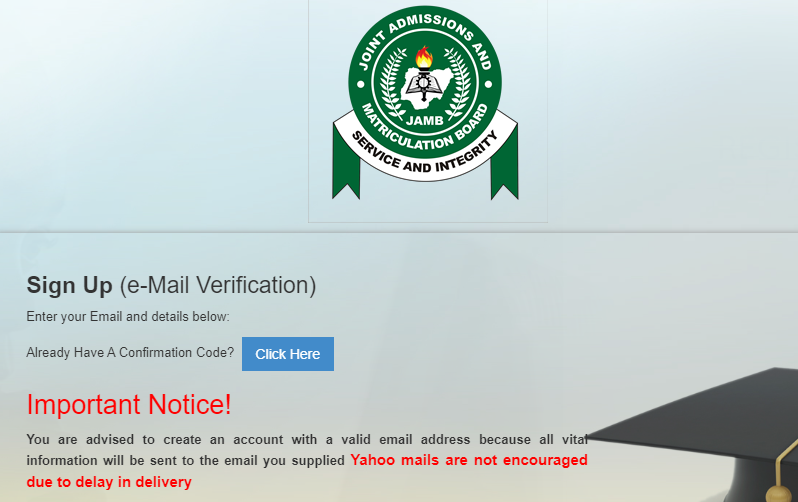
Learning how to create a JAMB profile code is the absolute first step toward your university admission. Without this unique 10-digit code, you cannot purchase your JAMB ePIN or complete your registration form. While the process is usually simple, many candidates face frustrating errors like missing replies, wrong phone numbers, or invalid NIN warnings.
This simple step-by-step guide will show you exactly how to generate your code instantly and fix common errors fast.
What Is a JAMB Profile Code?
A JAMB profile code is a unique, 10-digit number something like ABX12345YZGH generated specifically for you during your exam registration. It ties your identity to your registration and makes sure the person who registers is actually who they say they are.
JAMB creates this code by linking your National Identification Number (NIN) to your mobile phone number.
Without this profile code, you cannot buy your JAMB registration ePIN, fill out the form, or access the UTME portal. It is the absolute foundation of your entire admission process.
What You Need Before You Create Your Profile Code
Before you send that SMS or open any portal, make sure you have these three things in order:
| Requirement | Purpose |
| National Identification Number (NIN) | This is what JAMB uses to generate your unique profile code |
| SIM Card registered in your name | Must be linked to your NIN – this is where the code gets sent |
| Airtime balance | You need it to send the SMS to JAMB’s number |
That’s genuinely all you need for this step. But here’s where people run into trouble, the SIM card. It has to be registered in your name and linked to your NIN. Not your mum’s SIM, not your friend’s line. Yours. If that isn’t the case, the process will fail before it even starts.
If you’re not sure whether your NIN is linked to your SIM, dial *346# on your phone and follow the prompts. Your network provider will confirm the NIN tied to that number.
How to Create Your JAMB Profile Code via SMS
This is the method most candidates use and honestly the easiest one. Here’s exactly how it works:
Step 1: You must use the exact phone number you registered with your National Identification Number (NIN). This is a strict requirement, and there is no way around it.
JAMB will automatically reject your request if you send the text message from a different phone number. Make sure the SIM card is active, inside your phone, and has at least ₦50 normal airtime balance.
Step 2: Open your messaging app and compose a new SMS.
Step 3: Type your NIN as the message. Just the number – no extra text, no full stops, no spaces. For example: 12345678901
Step 4: Send it to the right number based on your network:
- MTN users → Send to 55019
- Airtel, Glo, and 9mobile users → Send to 66019
Step 5: Wait for JAMB’s reply. It usually comes within a few minutes, though during peak registration periods it can take a bit longer. The reply will contain your profile code along with a temporary password.
Step 6: Once the message drops, screenshot it, forward it to your email, or write it somewhere safe. That profile code is what you’ll enter on the JAMB portal when you’re ready to register.
How to Create Your JAMB Profile Code on the Portal
Some candidates prefer doing everything online, or they’ve already tried the SMS route and ran into issues. The JAMB e-facility portal has you covered.
Here’s how to do it through the portal:
Step 1: Open your browser and go to efacility.jamb.gov.ng
Step 2: On the homepage, look for the option that says “Create Profile” or “Register/Login” and click on it.
Step 3: You’ll be asked to enter your NIN. Type it in carefully and double-check before submitting.
Step 4: The system will send a verification code to the phone number linked to your NIN. Enter that code on the portal to verify your identity.
Step 5: Follow the remaining prompts to complete your profile creation. Once done, your profile code will be displayed on screen and sent to your number.
Step 6: Save everything – your profile code, your login details, all of it.
How to Retrieve Your JAMB Profile Code If You Lose It
Losing your profile code isn’t the end of the world. It happens, phones get lost, SMS get deleted, people forget to save things. Here’s how to get it back:
Via SMS:
Simply send your NIN again to 55019 (MTN) or 66019 (other networks). JAMB’s system will resend your profile code to your number since it’s already been created.
Via the Portal:
Go to efacility.jamb.gov.ng, click on “Forgot Profile Code” or the login recovery option, enter your NIN and registered phone number, and the system will send your code again.
Either method works. Just make sure you’re using the same phone number the profile was created with.
Frequently Asked Questions
Can I use someone else’s SIM to create my profile code?
No. The SIM must be registered in your name and linked to your NIN. Using someone else’s line will cause the process to fail because JAMB verifies your identity through the NIN-SIM link.
Can I have more than one profile code?
No. Each NIN can only generate one profile code. If you try to create a second one, the system will tell you a profile already exists for that NIN.
Is the profile code the same as my JAMB registration number?
No, they’re different. Your profile code is what you use to access the registration portal. Your registration number is what you receive after completing the full registration process.
How long does it take to receive the profile code via SMS?
Usually a few minutes. During busy registration periods it can take up to a few hours. If nothing comes after 24 hours, try again or switch to the portal method.
Does my profile code expire?
No, once created, your profile code stays active. You can use it whenever you’re ready to complete your registration.
Final Thoughts
Getting your JAMB profile code is simple: ensure your NIN and SIM card are active to receive the 10-digit code without stress. If an error occurs, consult the troubleshooting guide to identify and fix the specific issue.